FEATURES TOUR
All the SEO platform features in elev8tor, screen by screen
This page walks the whole platform in the order a site moves through it: find the keywords, read what ranks, write or repair the page, link it in, publish, then measure rankings, AI answers and leads. Every screenshot is the app as it runs today.
Developed by Vertical Web, a Houston SEO agency since 1998, and Beth Guide, with more than 20 years of SEO experience. New features are dated on the What is new page.
THE MODULES
Twelve modules, one login, one set of data
Most teams spread this work across a rank tracker, a keyword tool, an audit crawler, a content editor and a reporting tool, and retype the keyword at every step. In elev8tor the output of one module is the input to the next. The short version of each tool and the decision it helps you make is on the all in one SEO tools page; below is the full tour.
Live Google rank tracking
Positions from a live check of today's Google, with movers, lost keywords, AI Overview and map pack flags.
Keyword research
Volume, difficulty, cost per click, intent and the pages ranking now, with Track and Brief one click away.
Keyword picks
Every Sunday the app picks money and informational keywords from your Search Console and names the page each one needs.
Keyword list builder
Describe the business, name up to five competitors and the location, and get a tiered list ready to track.
Content Scanner
Score a page against today's top 10, with a Content score, Rankability, originality and a ranked fix list.
Content Ideas and Content Queue
Pages competitors have that you do not, missing pages, picks with no page, and every page job in one list.
Site Audit
A crawl with 18 issue kinds, a plain fix for each and a score out of 100.
Site Map and Power Hubs
Pillars, clusters and links read from your site, with six checks per hub and the missing links written for you.
AI visibility
AI Overview presence and citations, plus what Perplexity, ChatGPT, Claude and Gemini say when customers ask.
Leads and Conversions
Every form, call tap, email click and order with its source and landing page, sent to GA4.
Reports and client portals
Weekly and monthly reports and a portal under your brand, with the work done and the plan for next month.
Agency workspace, Autopilot and API
Clients, roles, approval before publishing, Autopilot modes, API access and webhooks.
1. FIND THE KEYWORDS
Research, picks and a list builder for new sites
Keyword Research shows volume, difficulty, cost per click, intent and the pages ranking now, and each row has Track and Brief buttons so a keyword never gets retyped. The keyword picker runs every Sunday: up to 50 money keywords, scored by impressions times cost per click, and 50 informational keywords from your Search Console queries, tracked and sent to Content Ideas with their Power Hub named when no page exists. Hand picks are never touched, and a never-pick list with Undo keeps the picker out of keywords you do not want.
For a site with no history, the keyword list builder takes a description of the business, up to five competitors and the location, and returns a tiered list (money, informational, local, other) with the competitors’ live footprints merged in and one click to track. A live footprint measures any domain on Google, yours, a competitor’s or a prospect’s, on up to 1,000 keywords with no stored database, which is the same check behind live rank tracking.
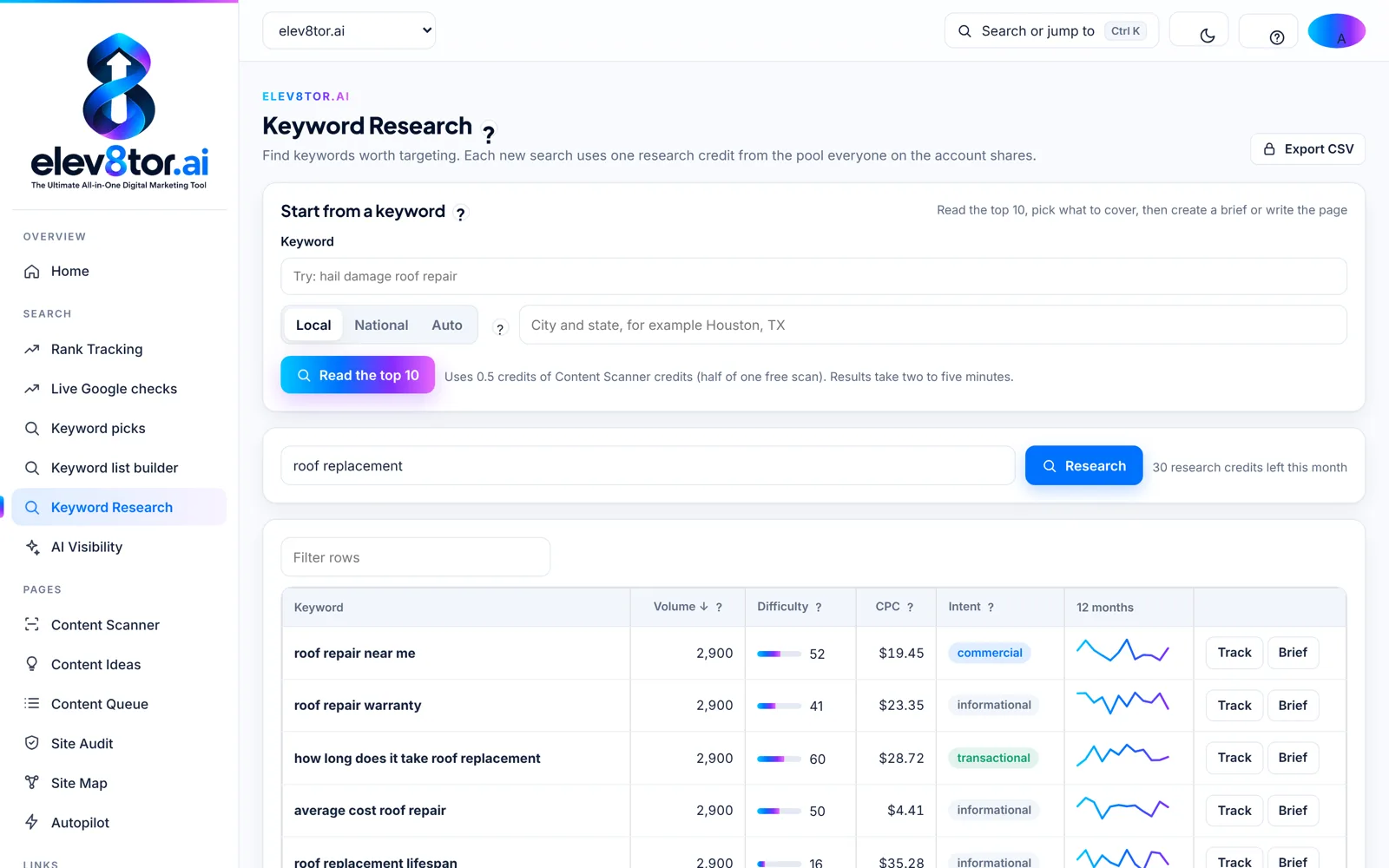
Keyword Research
Volume, difficulty, cost per click and intent, then Track or Brief in one click.
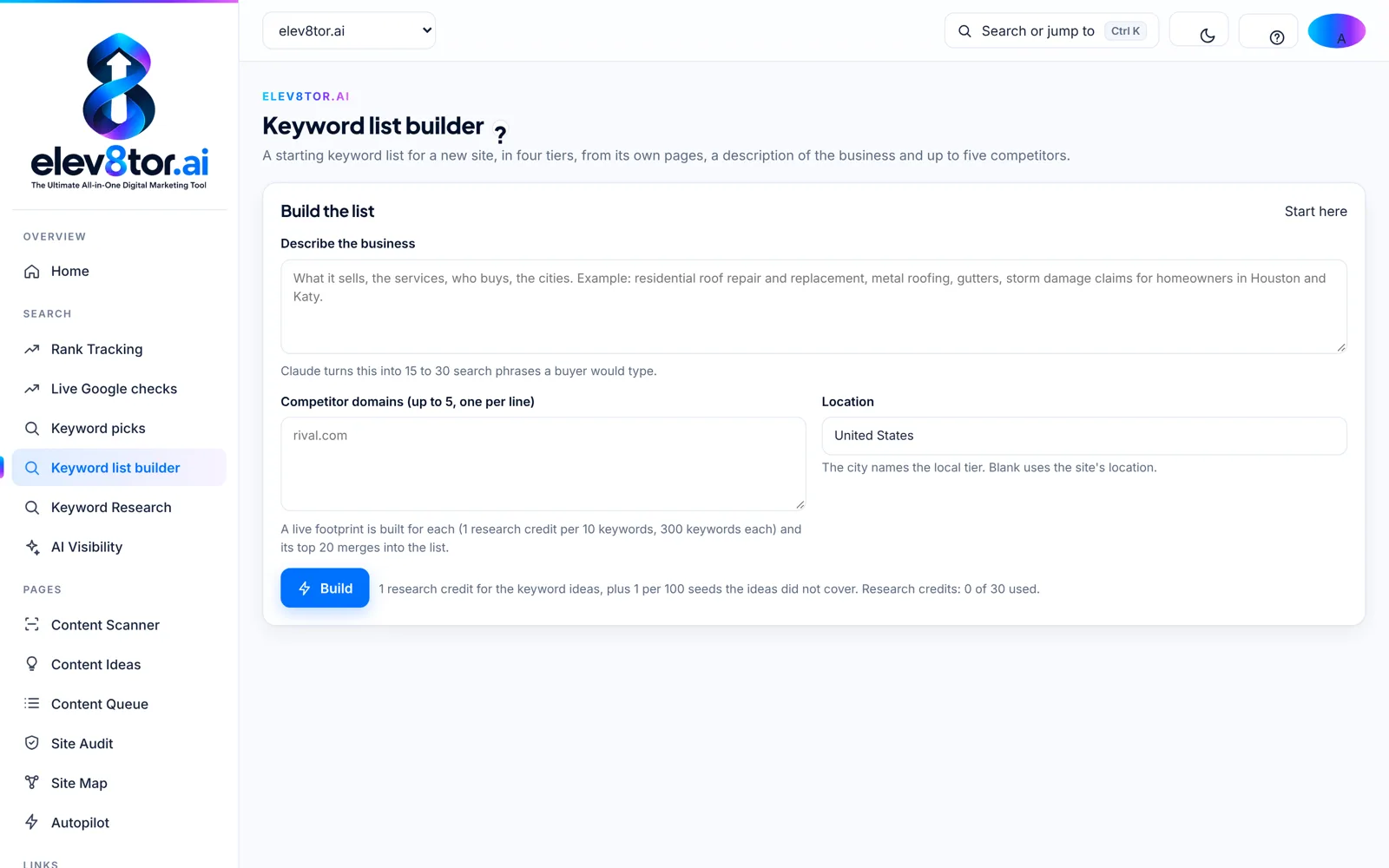
Keyword list builder
A tiered keyword list for a new site from its own pages, a description and five competitors.
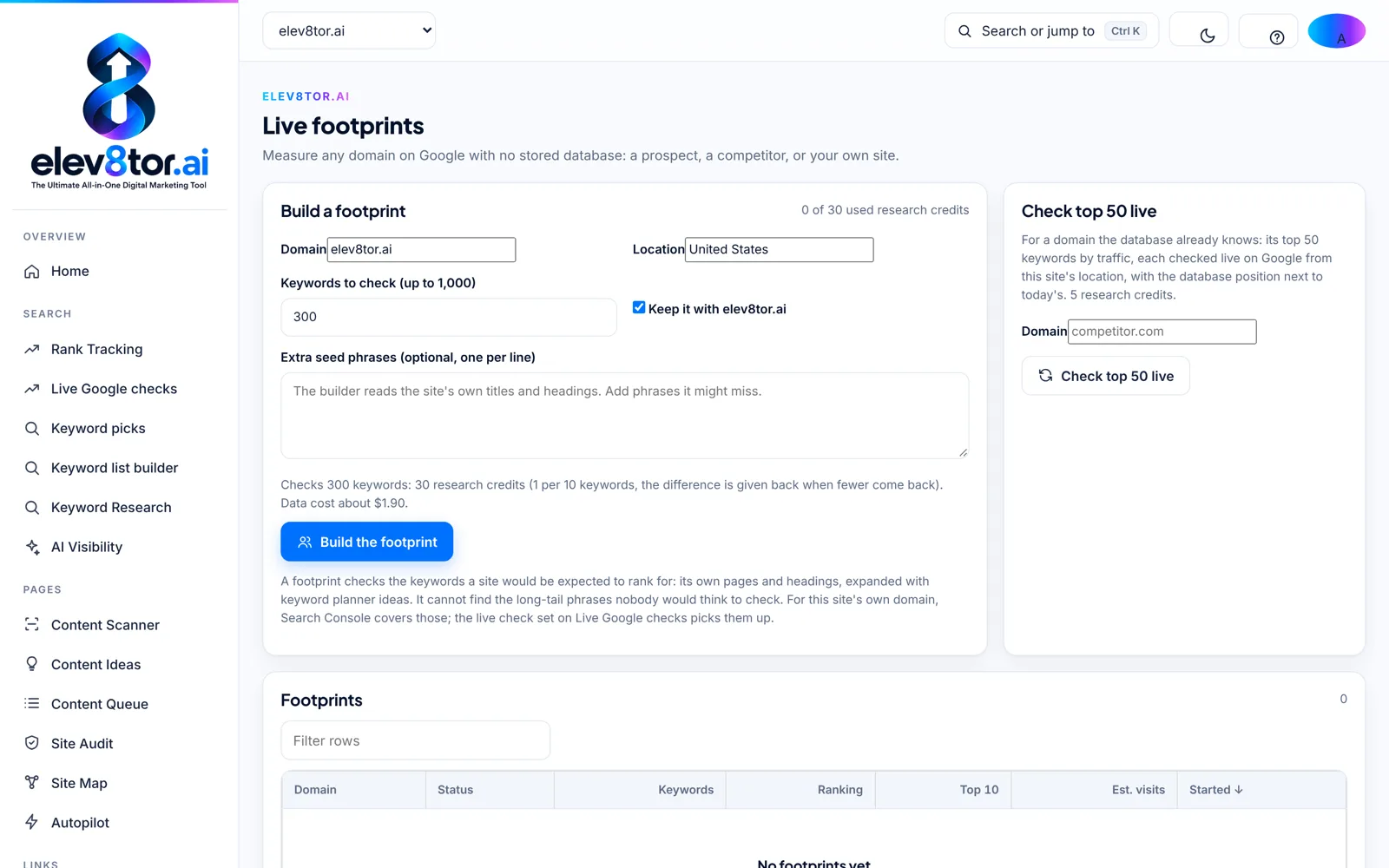
Live footprints
Measure any domain on Google from its own pages and keyword planner ideas, up to 1,000 keywords.
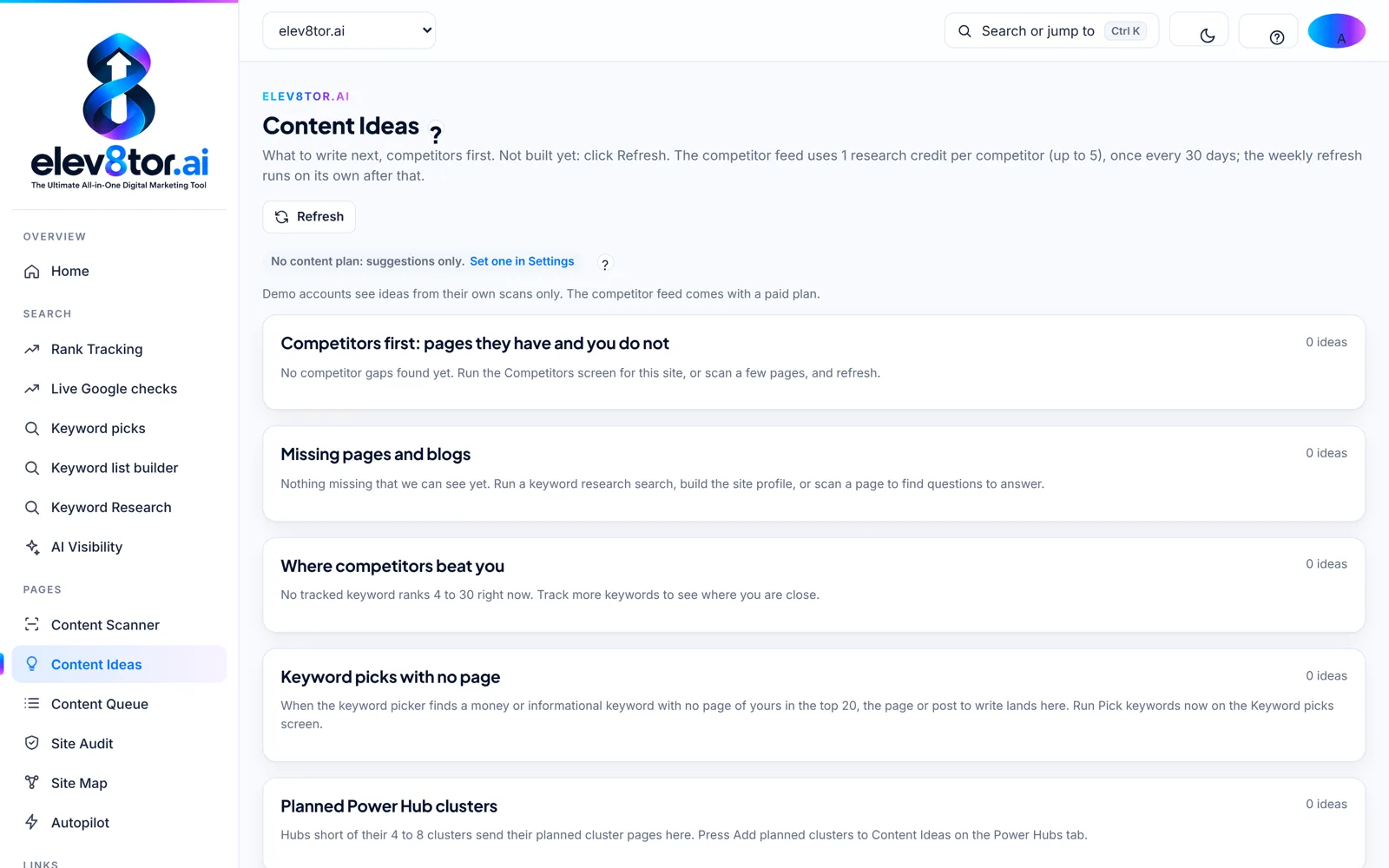
Content Ideas
Competitor gaps, missing pages, keyword picks with no page and planned Power Hub clusters.
2. READ WHAT RANKS, THEN WRITE OR REPAIR
The Content Scanner and the writer
Paste a URL and its keyword. The Content Scanner reads the ten pages Google ranks today, runs your page and each of them through Google’s own category reading, groups the entities by category, marks every question answered, partly answered or missing, suggests internal links with the exact sentence and anchor, checks originality and gives a Content score with a target of 70 and a Rankability score. Under 70, Repair this page makes the fewest changes that move the score; Write a new page drafts from the brief in your site’s voice.
Drafts go to the Content Queue, where a person approves before anything publishes. Autopilot runs the same loop on a schedule, in the mode you set, and nothing publishes under a Content score of 70. The full method is on the AI search optimization page.
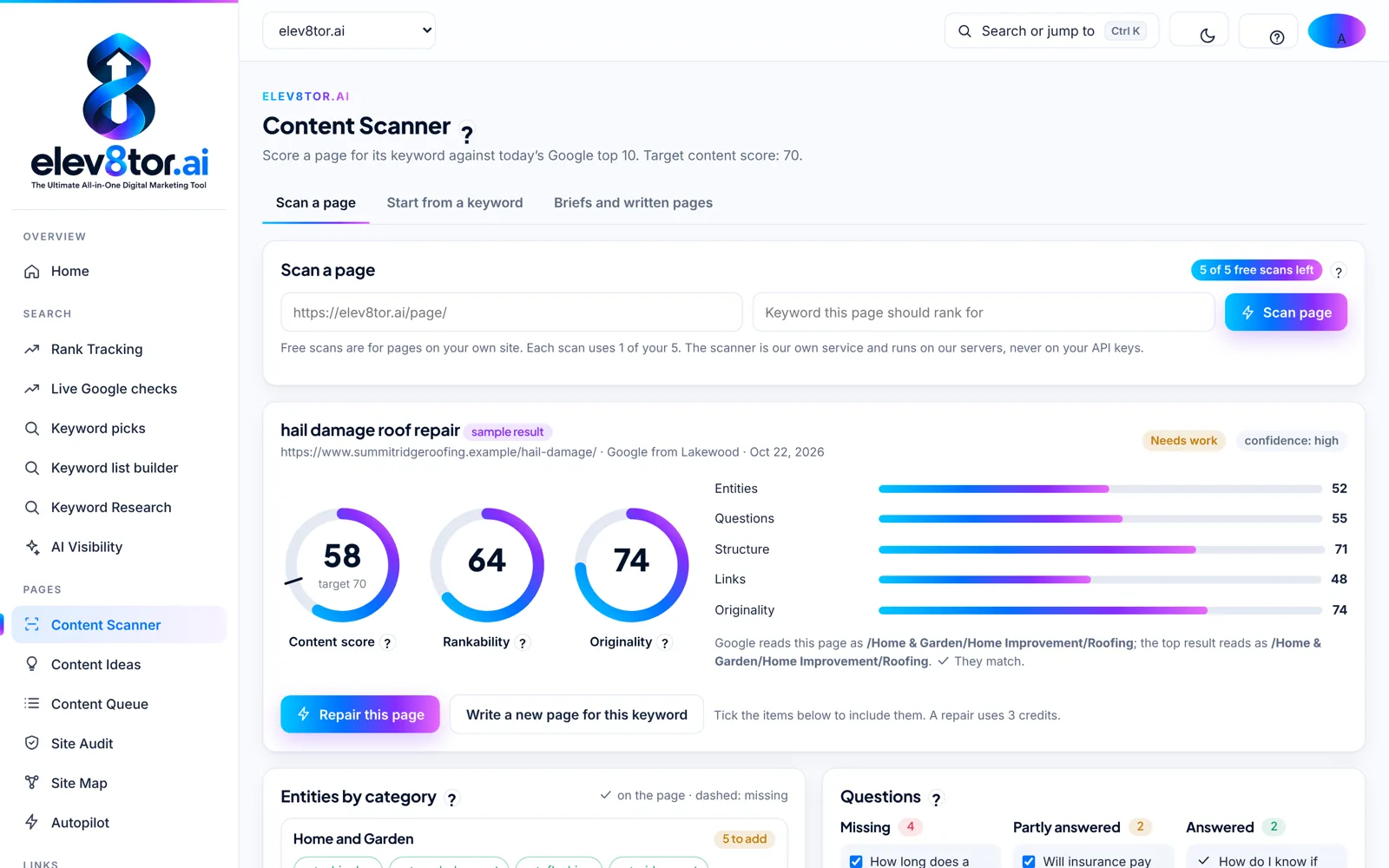
A scan result
Content score against the 70 target, Rankability and Originality, with the fix list under them.
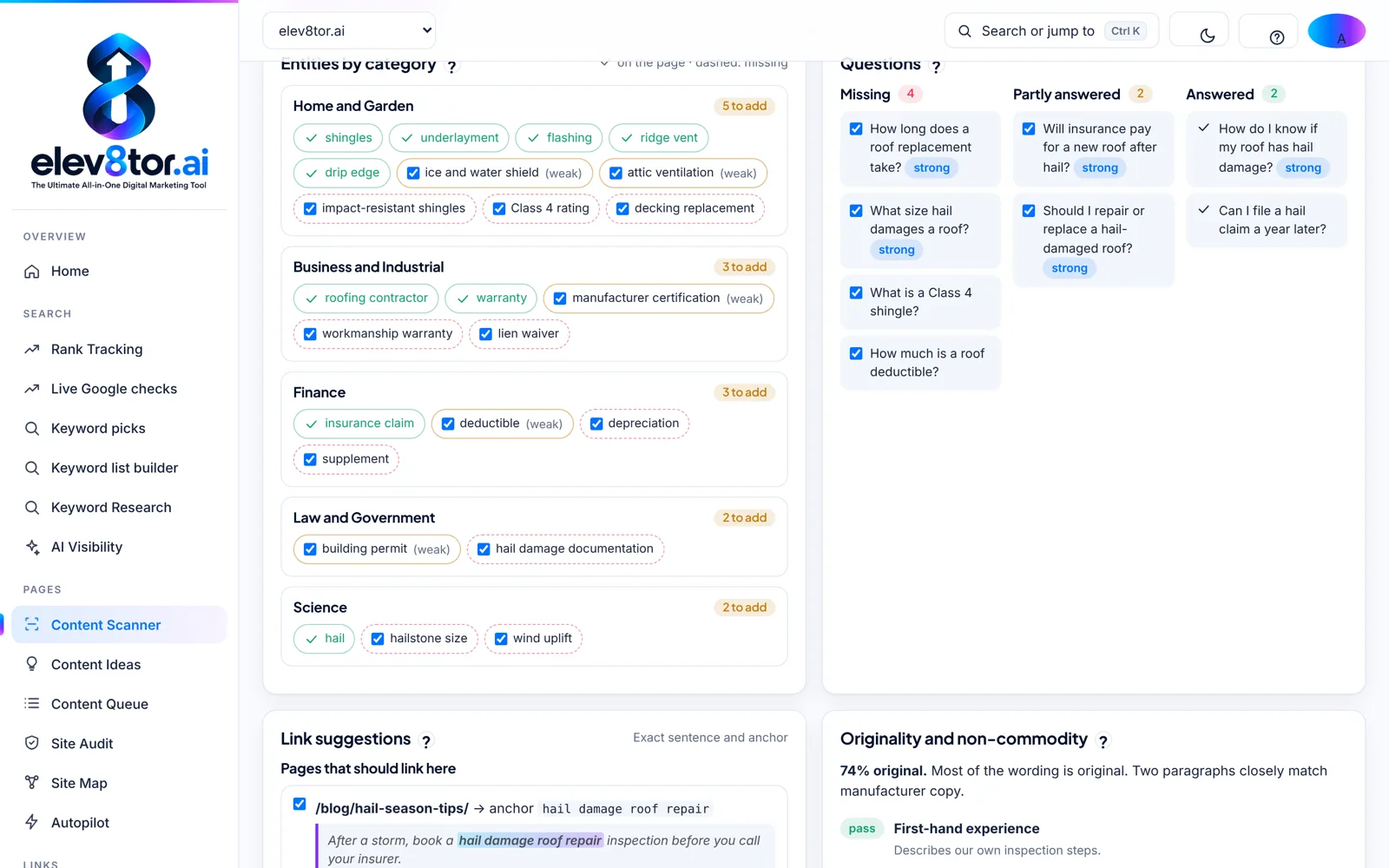
Entities, questions and links
Entities by Google category, questions marked missing or answered, and the sentence and anchor for each link in.
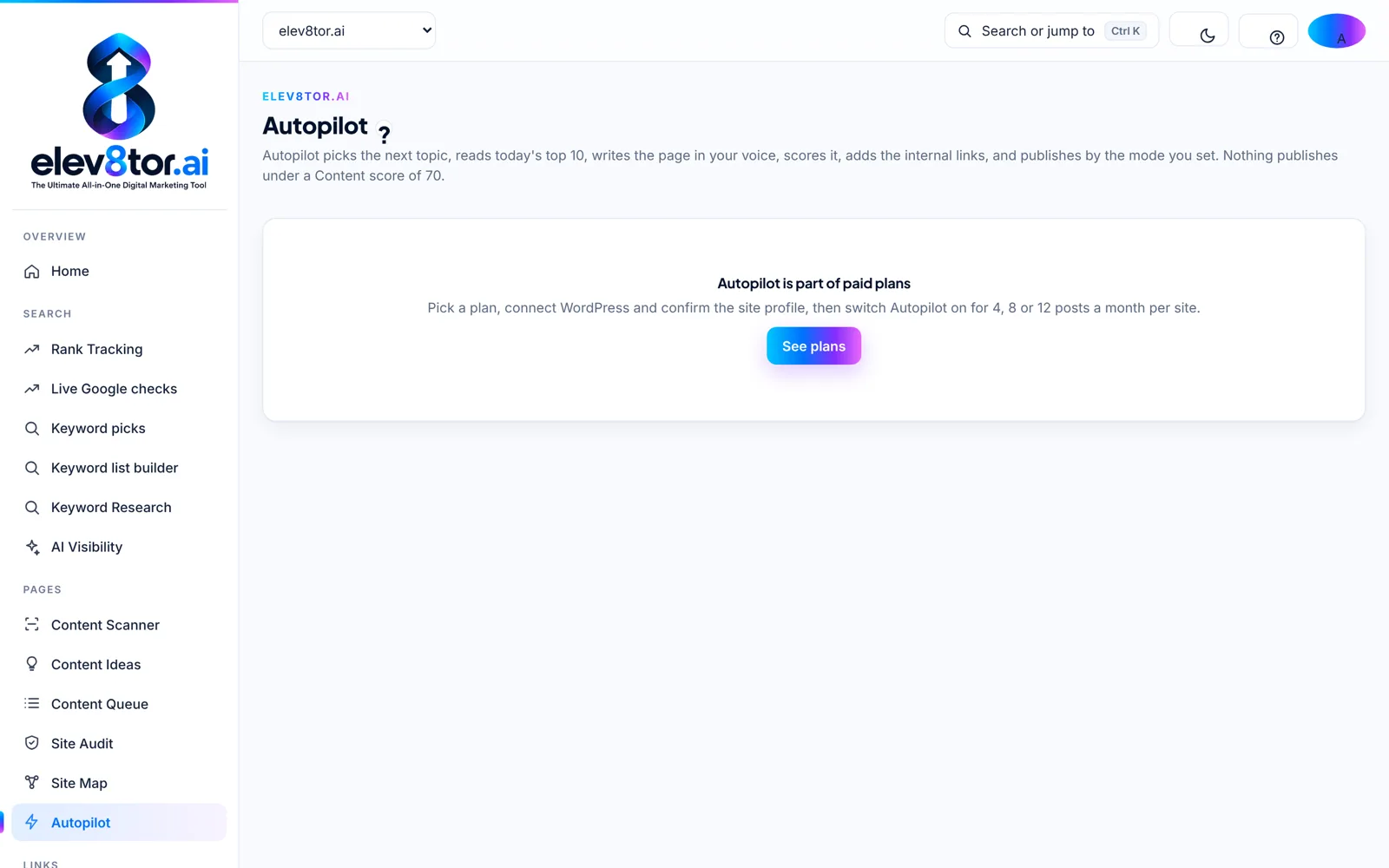
Autopilot
Research, write, score, link and publish by the mode you set, with approval before anything goes live.
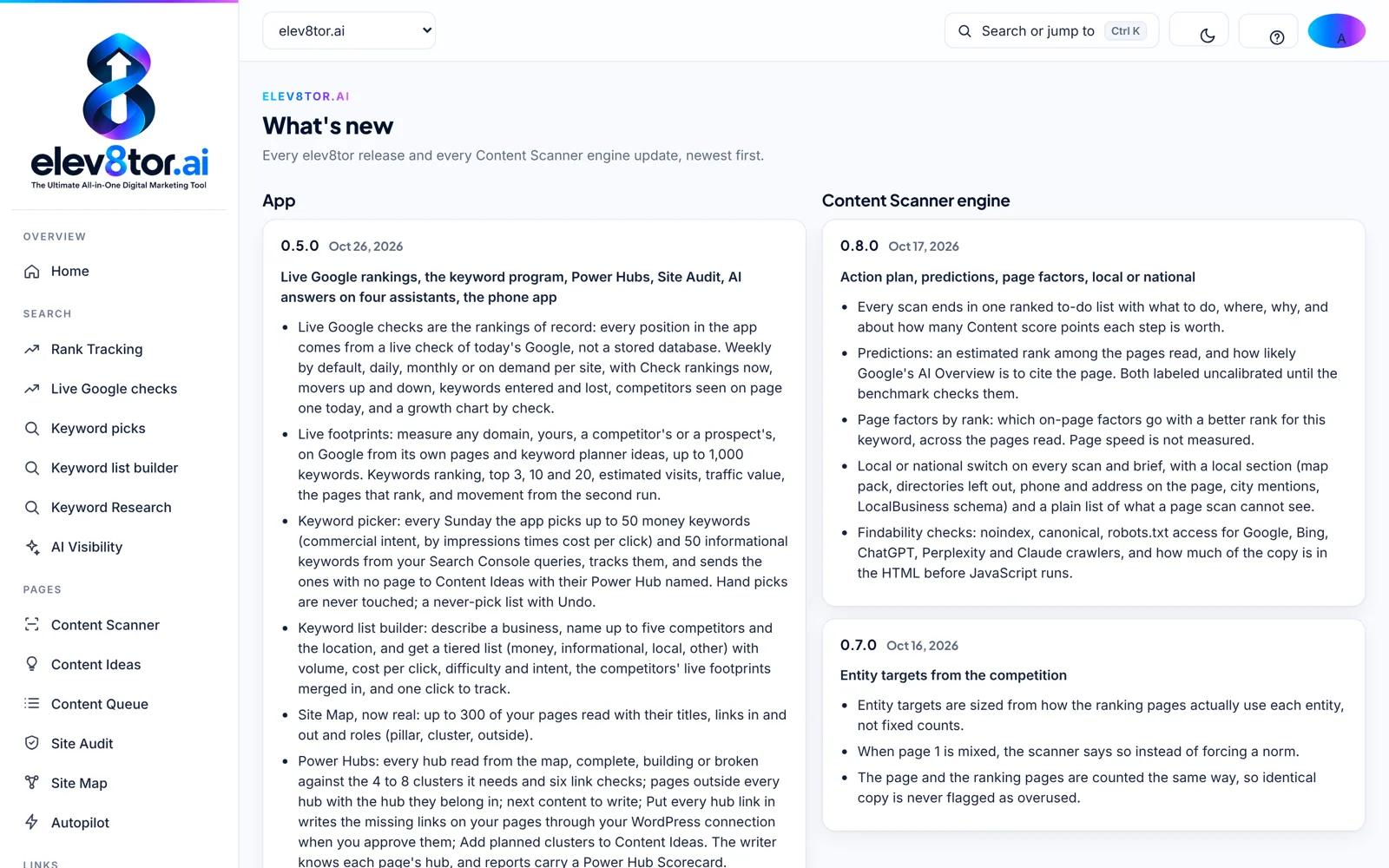
What is new
Every release dated, in the app and on the website, so you know what shipped and when.
3. FIX THE SITE AND LINK IT IN
Site Audit, Site Map and Power Hubs
The Site Audit crawls up to your plan’s pages and reports 18 issue kinds, each with a plain fix and a score out of 100. The Site Map reads up to 300 of your pages with their titles, links in and out, and their role: pillar, cluster or outside every hub. Power Hubs then checks each hub against the 4 to 8 clusters it needs and six link checks, lists pages outside every hub with the hub they belong in, names the next content to write, and writes the missing links on your pages through your WordPress connection when you approve them.
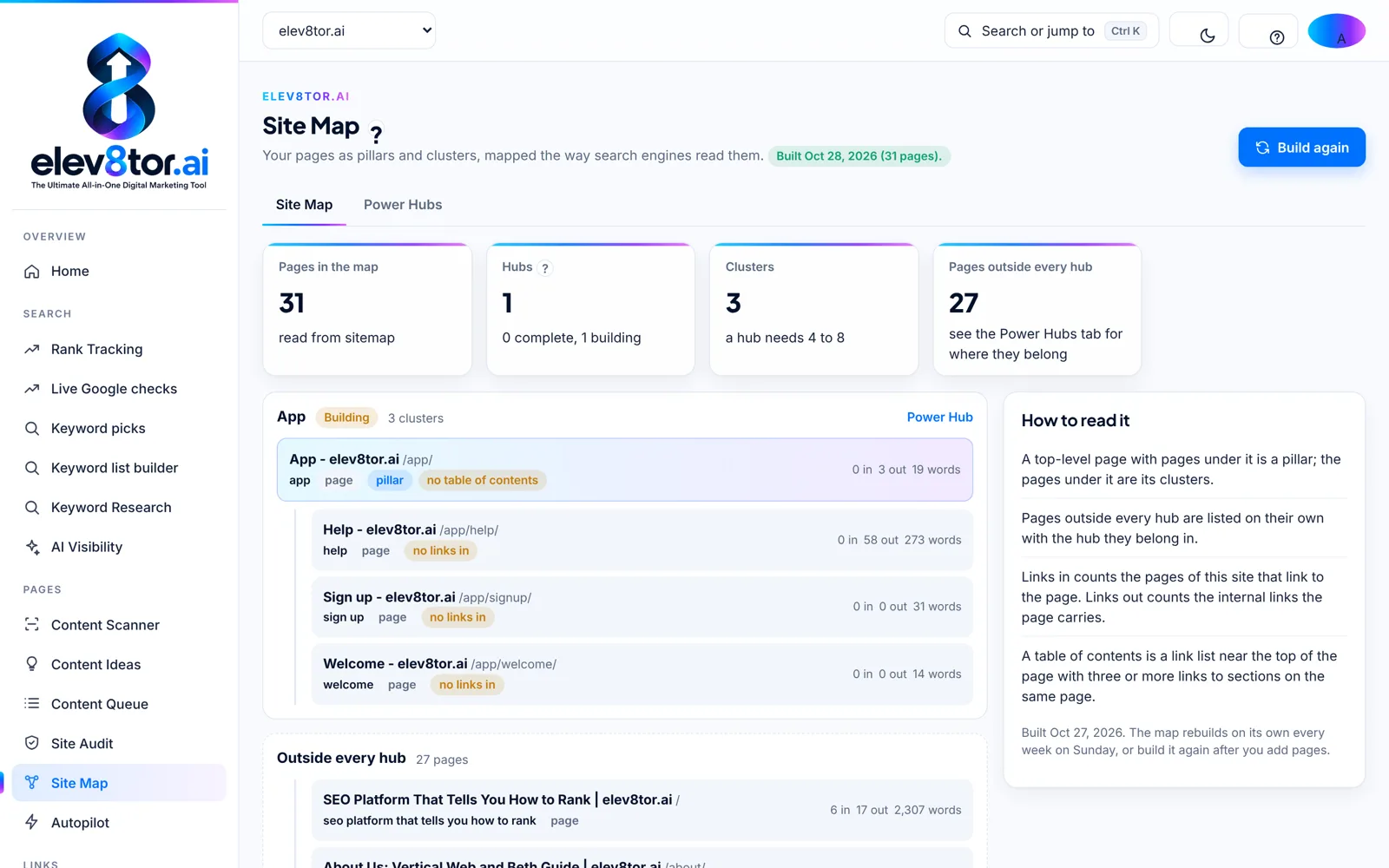
Site Map
Pages in the map, hubs, clusters and the pages outside every hub, read from your own site.
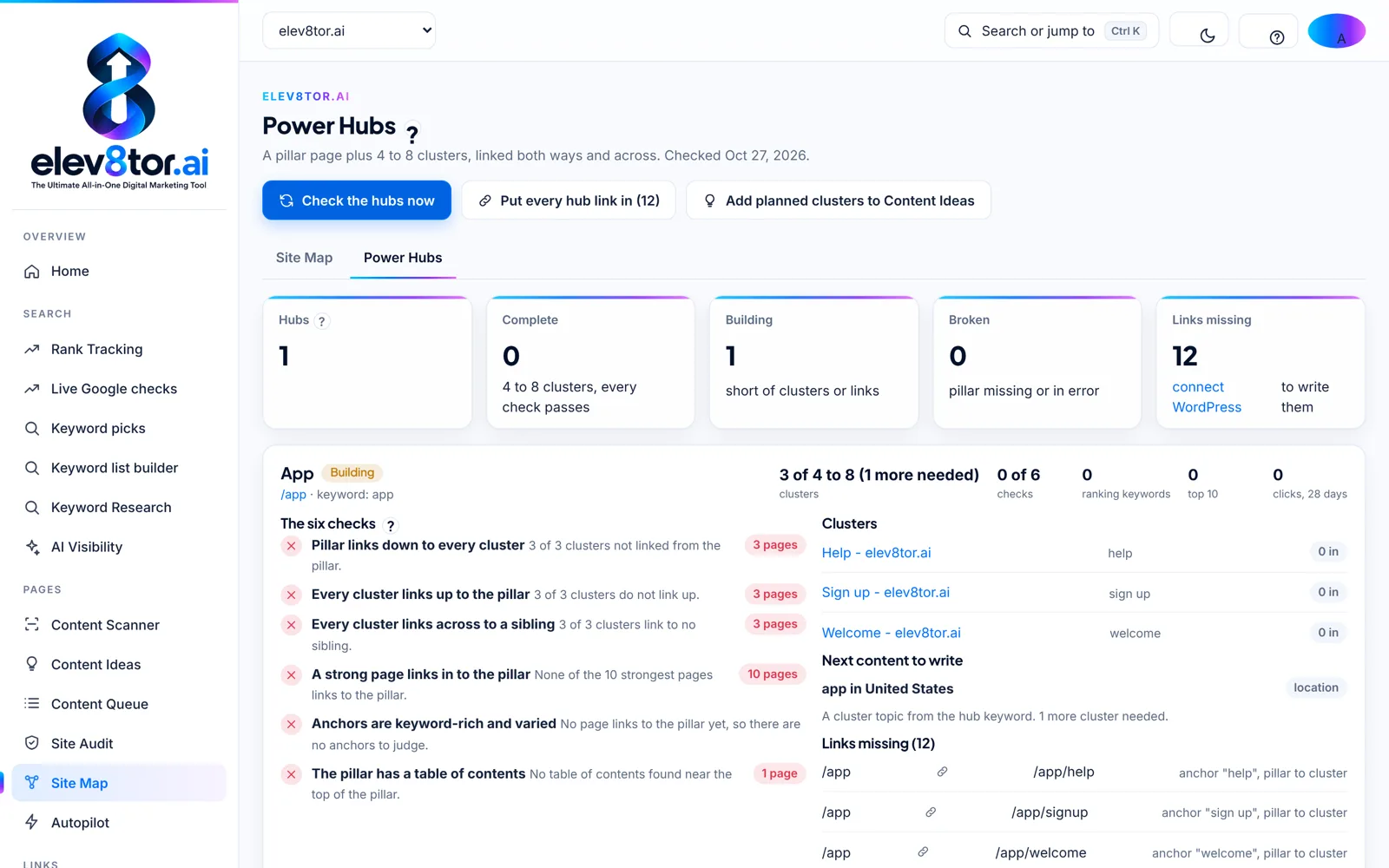
Power Hubs
Each hub against its clusters, the six link checks, the next content to write and the links missing.
4. MEASURE RANKINGS, AI ANSWERS AND LEADS
Live Google checks, AI visibility, Leads and GA4
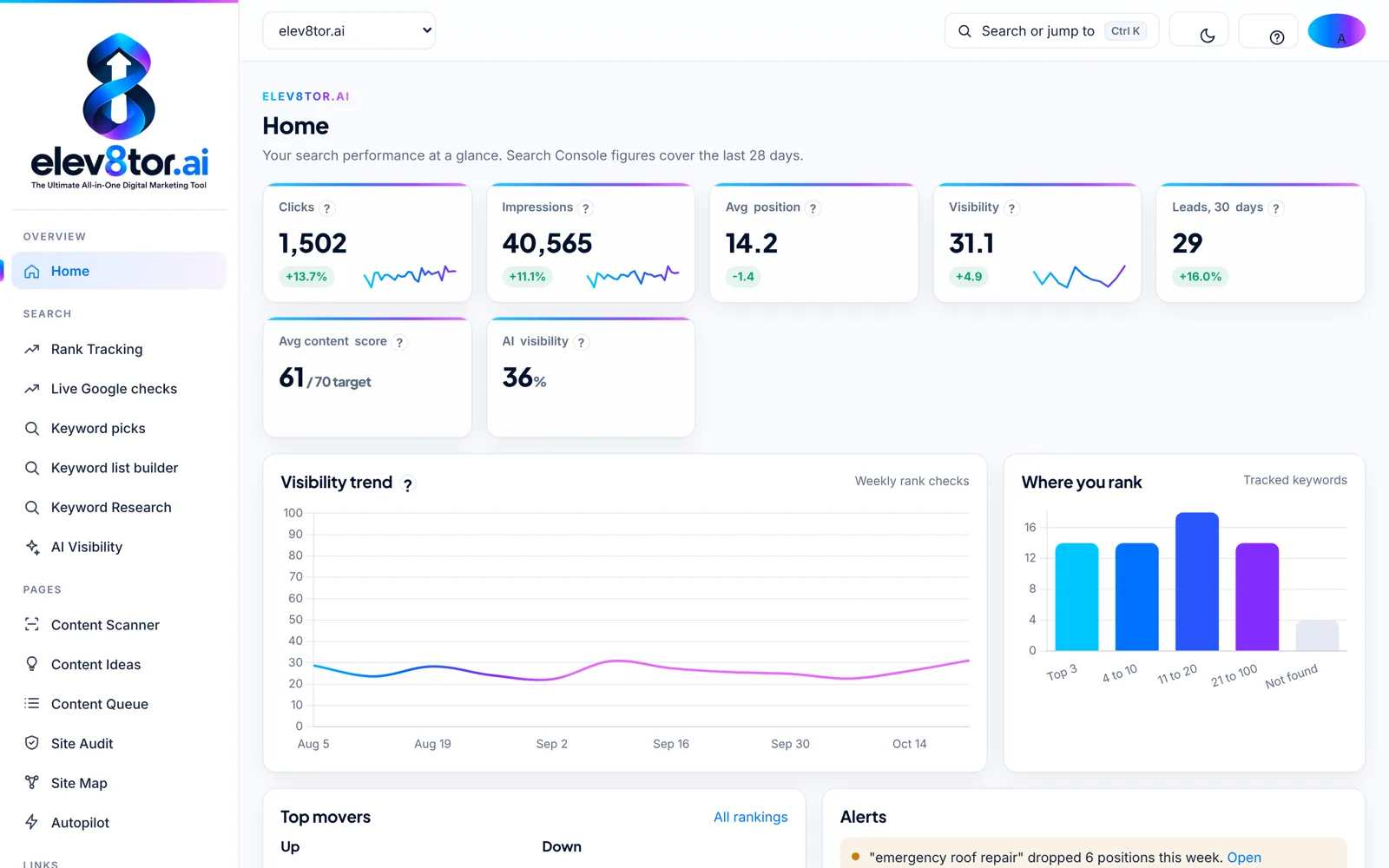
Every position in the app comes from a live check of today’s Google from the site’s location, never a stored database: weekly by default, daily, monthly or on demand, with movers up and down, keywords entered and lost, the competitors seen on page one today and a growth chart by check. AI visibility shows which tracked keywords show a Google AI Overview and whether you are cited, and asks Perplexity, ChatGPT, Claude and Gemini the questions your customers type, with your city, reading each answer for whether you are named, whether your site is cited and which competitors appear.
Leads and Conversions records every form, call tap, email click and order from the free connector with its real source and landing page, and sends them to GA4 as conversions, so the report shows business, not only traffic.
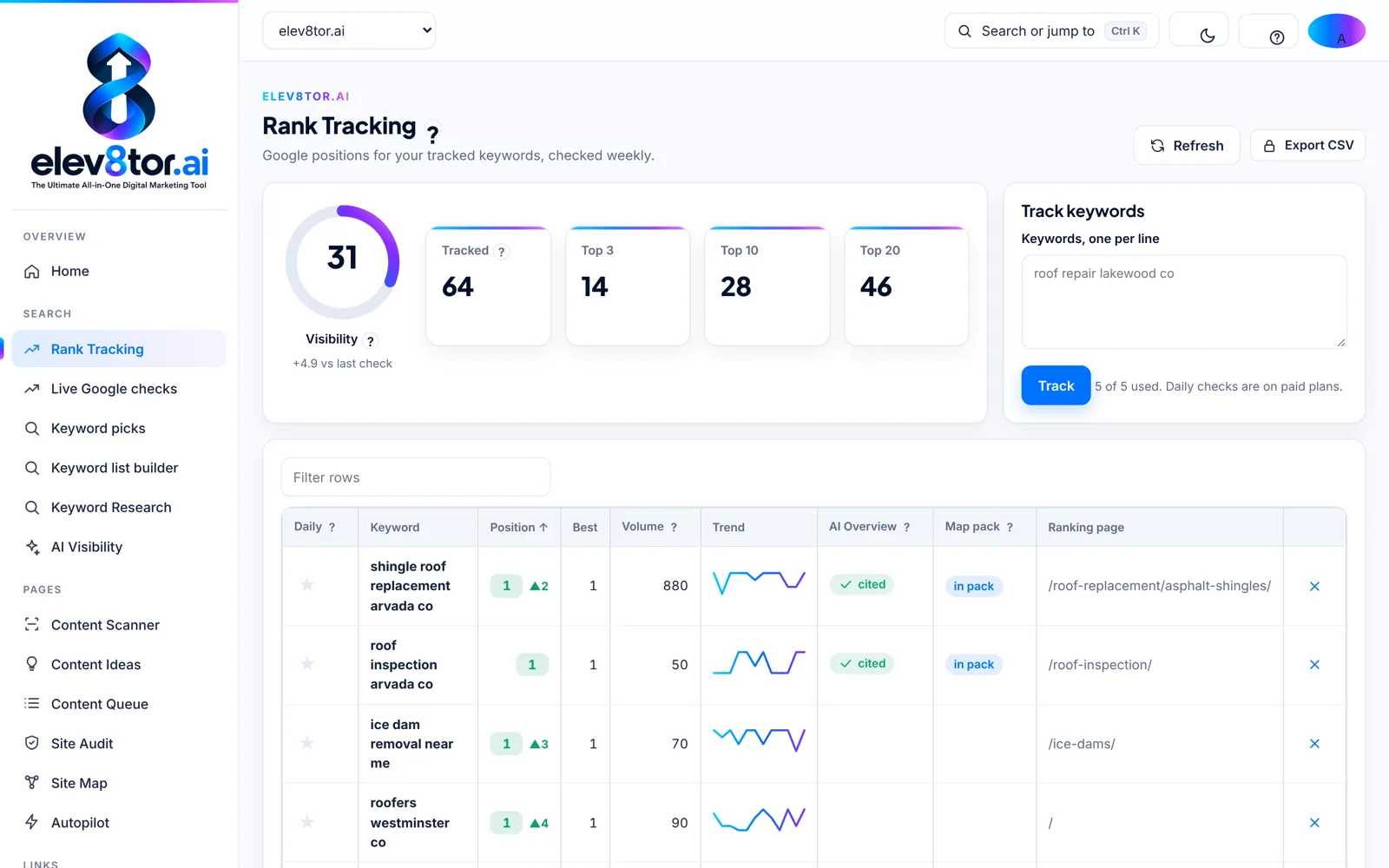
Rank tracking
Position, best, volume, trend, AI Overview citation, map pack and the ranking page for every keyword.
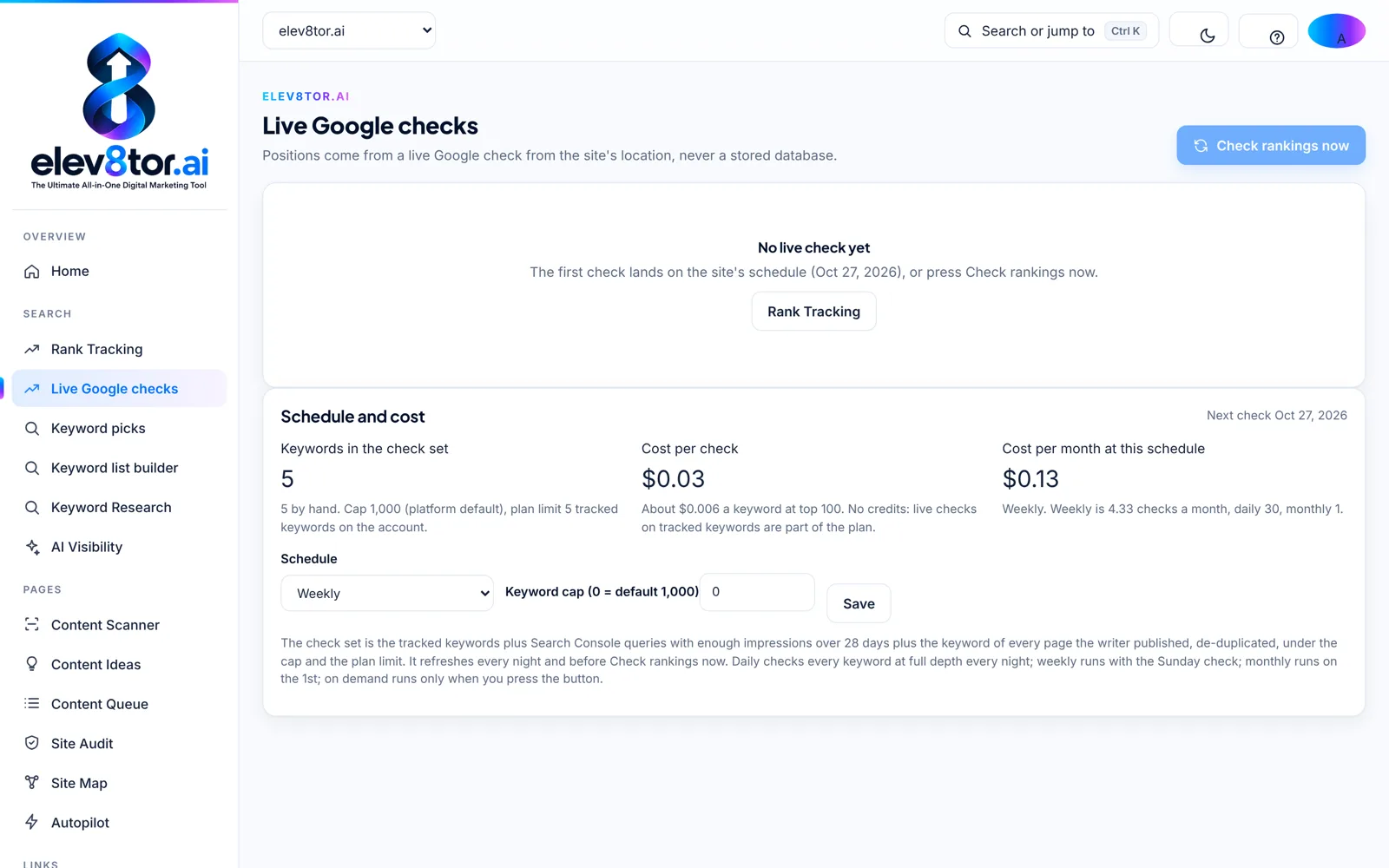
Live Google checks
Schedule, keyword cap and the cost per check, with Check rankings now for an on-demand run.
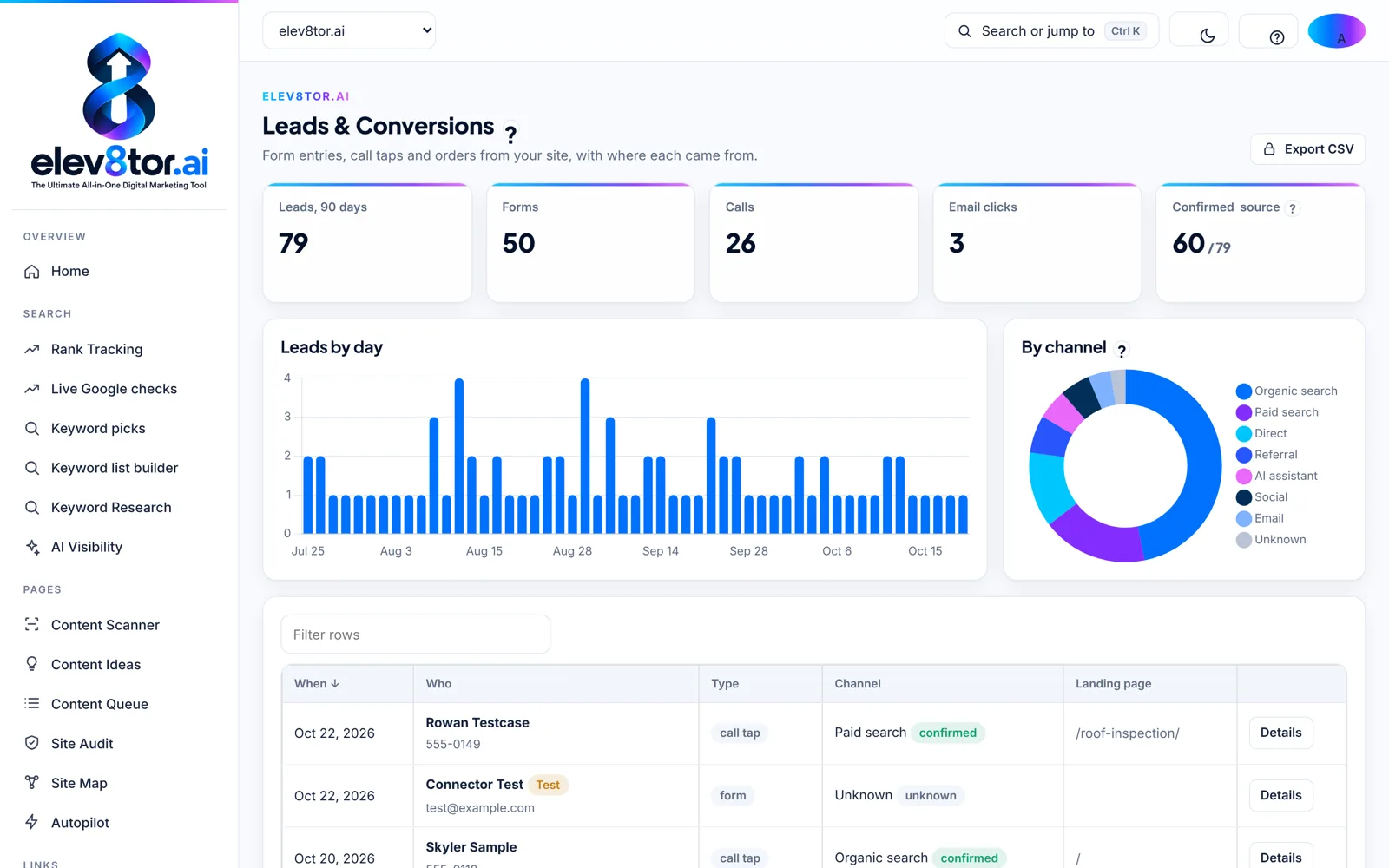
Leads and Conversions
Leads by day and by channel, each with its source and landing page.
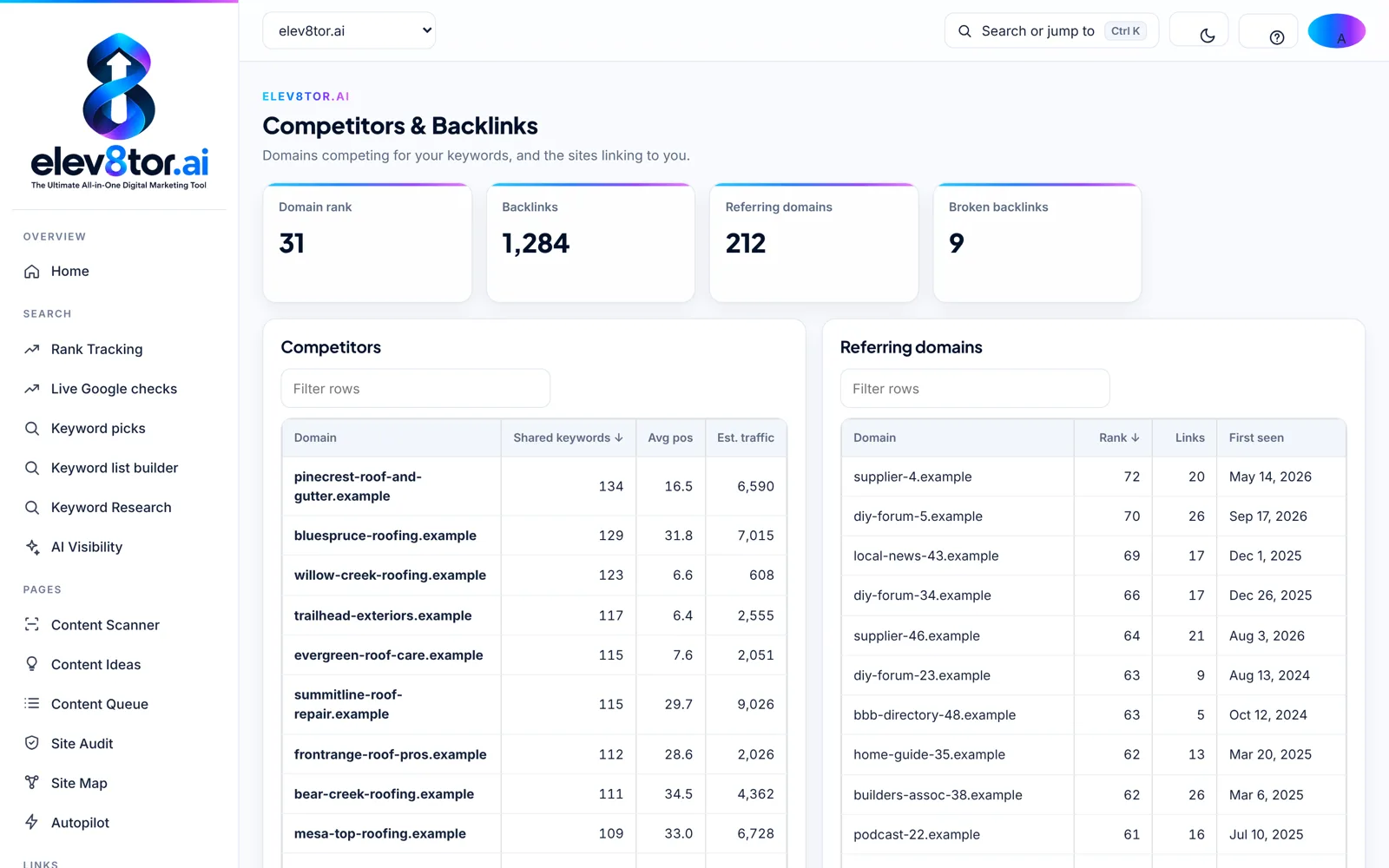
Competitors and backlinks
Domain rank, backlinks, referring domains and the competitors sharing your keywords.
5. REPORT UNDER YOUR BRAND
Reports, client portals and the agency workspace
Reports show rankings, traffic, leads, the Content score trend, AI visibility and the Power Hub Scorecard, under your logo and colors on white label plans. The client portal is what clients see when you invite them: their report, rankings, leads by source, the work done this month and the plan for next month, with no billing and no elev8tor branding. The agency workspace adds clients, team roles, a Content Queue across every account and white label reporting on a schedule. Users are unlimited on every plan.
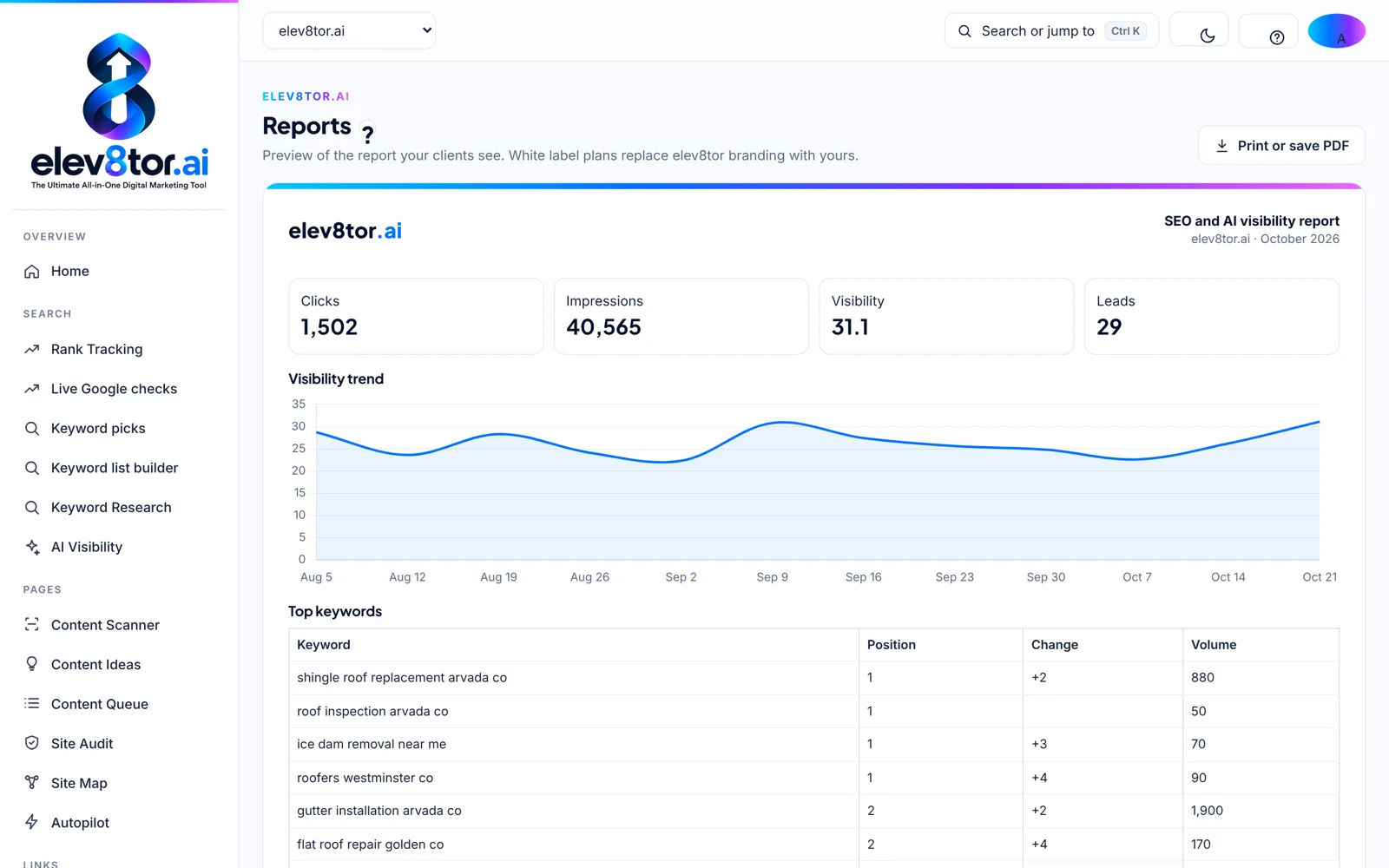
Reports
The SEO and AI visibility report your clients read, printable or saved as a PDF.
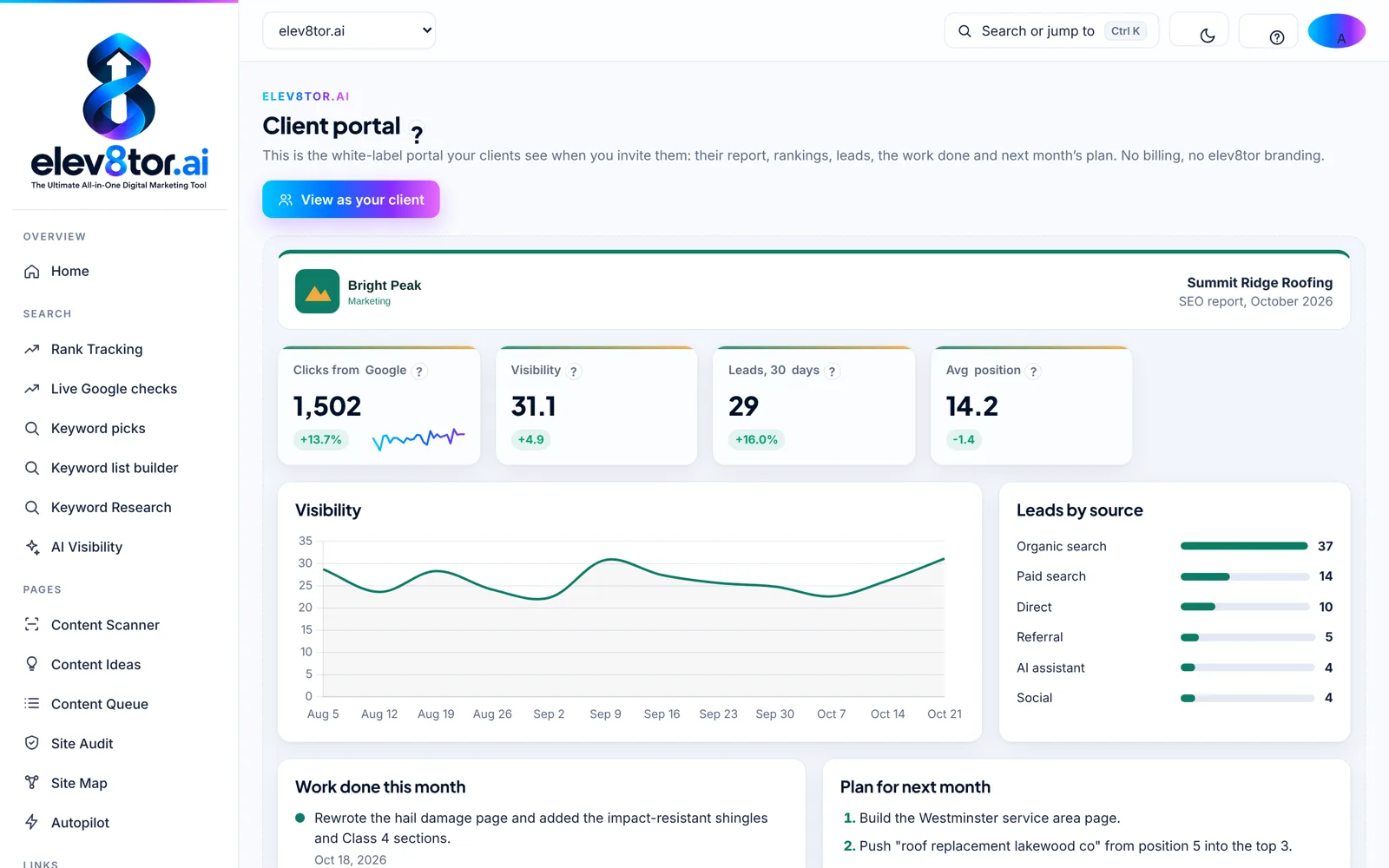
Client portal
Visibility, leads by source, work done this month and the plan for next month.
Install elev8tor on an iPhone or Android home screen from the account menu: the phone app gives a bottom bar, tables as cards and thumb-sized inputs, and nothing changes on the desktop. Platforms, connections and the API are listed on the integrations page, and how we compare with agentic SEO tools is on agentic SEO tools compared.
HOW THE FEATURES COMPARE
SEO platform features against the enterprise suites
Semrush, Ahrefs and the enterprise SEO platforms such as BrightEdge and Conductor are built around a search engine database: keyword volumes, backlink indexes and stored rankings at scale. They are strong at analytics and weak at the workflow, because the data is the product and the work is left to you. elev8tor is built the other way around. The workflow is the product: keyword, brief, page, links, live check, report. The data comes from DataForSEO, your Google Search Console and Google Analytics 4, and Anthropic Claude for the writing, and every number sits on the one record for that keyword.
That changes what an SEO strategy looks like day to day. Technical SEO is the Site Audit with a fix per issue, not a 400-row export. Content strategy is Content Ideas with competitors first and a Power Hub named for every idea, not a spreadsheet. Content marketing is the writer and the Content Queue, with a 70 Content score as the gate and a person approving before anything publishes. Answer engine optimization, or AEO, is the AI visibility screen: AI Overview presence from the live checks and four assistants asked your customers’ questions, with your site named or not. Performance is a live check of today’s Google, not a database refreshed on someone else’s schedule.
Where the suites still win is scale on the database side: a backlink index of billions of pages, or keyword volumes for every market on earth. If that is the job, keep the suite for it. If the job is getting a page to rank and proving it brought business, the agentic SEO tools comparison and the Semrush alternative page show the trade in detail, and the pricing guide shows what each plan includes. Governance for agencies, roles, approval and client portals, is on the agency SEO platform page.
FAQ
Frequently asked questions
Live Google rank tracking, keyword research, keyword picks and a keyword list builder, the Content Scanner, Content Ideas and a Content Queue, Site Audit, Site Map with Power Hubs, AI visibility on Google AI Overviews and four AI assistants, Leads and Conversions with GA4, white label reports and client portals, an agency workspace with roles, Autopilot, an API and webhooks. Every plan has the same modules; plans differ by data limits.
Build the Site Map first, then run a Site Audit and track your first keywords. The map tells the writer and the Power Hubs check where every page belongs, the audit lists the fixes worth the most, and the first live check gives every later report a baseline.
Yes. Every capture is the app as it runs today, taken on the sample workspace the free demo opens or on our own site. Nothing is a mockup, and nothing shown here is unreleased. The What’s new page lists the release each feature shipped in.
Reading features (rankings, audits, scans, AI visibility, reports) work on any site. Publishing features (the writer sending a page to your site, Autopilot, Power Hub links written for you) run through the WordPress connection today. Other platforms get the page through the API or a copy-ready export.
The Content Scanner is paid in credits as an add-on to any plan, or on its own. Autopilot and API access are add-ons. Everything else is part of every paid plan within the plan’s data limits, which the pricing guide lists in full.
The free demo opens the whole workspace with sample data, a client portal preview and 5 real Content Scanner scans on your own pages, one time. Lists stop at 25 rows and paid data is capped, so you can click through every screen on this page first.
Click through every screen on this page yourself
The free demo opens the full workspace with sample data, a client portal preview and 5 real Content Scanner scans on your own pages.
Related pages
- All in one SEO tools: Each tool and the decision it helps you make
- Power Hubs: Pillar and cluster hubs with the six link checks
- Live rank tracking: Positions from a live check of today’s Google
- Content scanner: Score and repair a page against today’s top 10
- SEO software pricing: Data Included and BYO plans, credits and limits
- What is new: Every release, dated